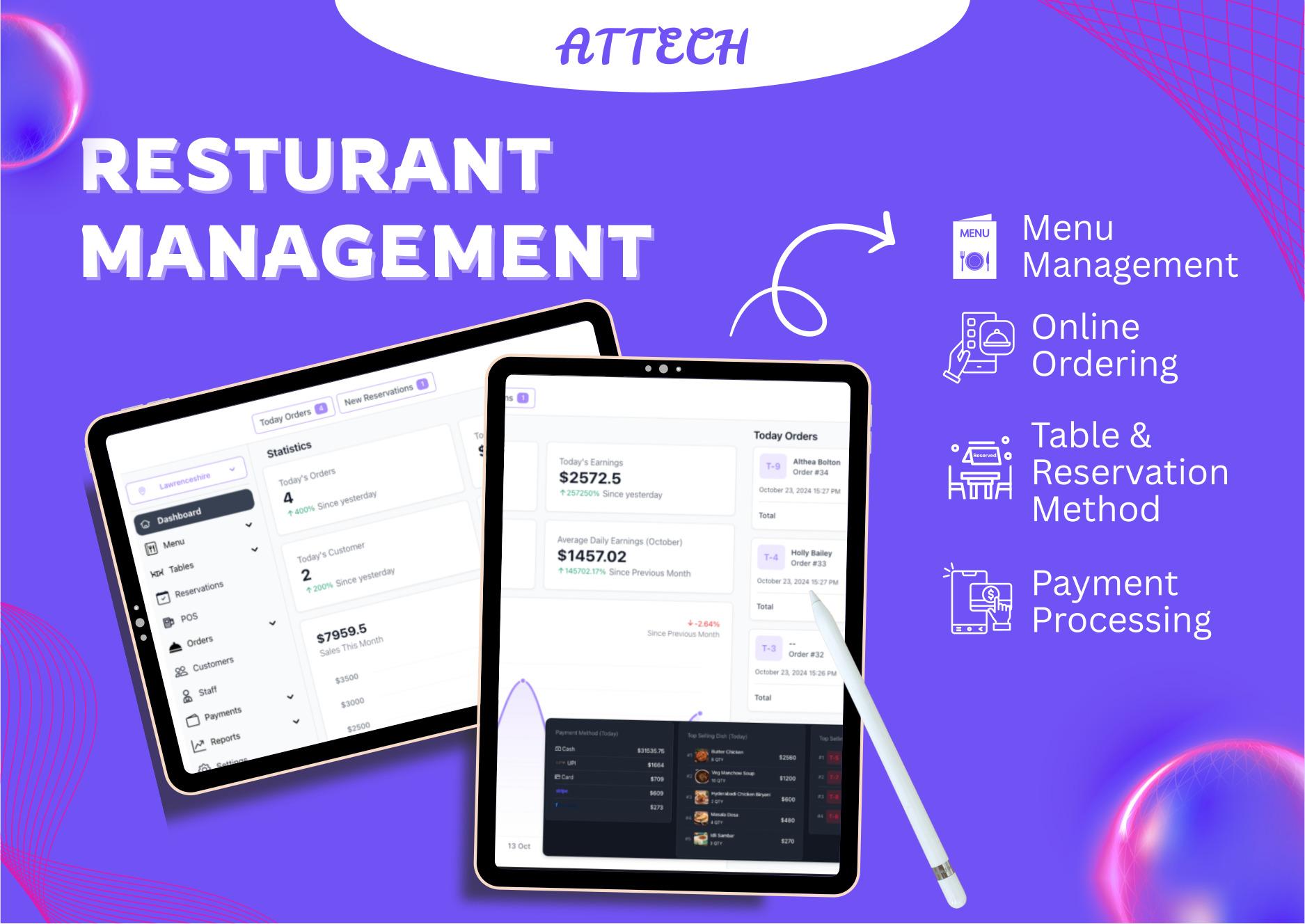
Attech Restaurant POS - The Complete SaaS Restaurant Management Solution
Short Description
Transform your restaurant operations with Attech Restaurant POS - a comprehensive cloud-based SaaS solution designed to streamline every aspect of your dining business. From menu management to payment processing, our system empowers restaurants of all sizes to deliver exceptional service while maximizing efficiency.
Full Description
Overview
Attech Restaurant POS is a cutting-edge, all-in-one restaurant management platform built on modern technology to meet the evolving needs of today's food service industry. Whether you run a cozy cafe, a bustling fine-dining establishment, or a multi-location restaurant chain, our solution scales seamlessly to match your ambitions.
Powered by robust cloud infrastructure and designed with user experience at its core, Attech Restaurant POS eliminates operational bottlenecks, reduces errors, and provides real-time insights that drive smarter business decisions.
Why Choose Attech Restaurant POS?
For Restaurant Owners:
- Complete visibility into all operations from a single dashboard
- Real-time sales tracking and comprehensive reporting
- Reduced operational costs through automation
- Scalable solution that grows with your business
- Multi-location management capabilities
For Staff:
- Intuitive interface requiring minimal training
- Faster order processing and reduced errors
- Clear communication between front-of-house and kitchen
- Mobile-friendly design for flexibility
- Role-based access for security
For Customers:
- Seamless ordering experience with QR code menus
- Contactless payment options
- Faster service and reduced wait times
- Personalized experience through customer profiles
- Easy online ordering and reservations
Core Features
1. Advanced Menu Management
Create and manage your complete menu with unlimited customization options:
- Dynamic Menu Creation: Add items with detailed descriptions, images, prices, and variants
- Category Organization: Structure your menu with categories and subcategories
- Modifiers & Add-ons: Create customizable options for each item
- Dietary Information: Tag items with allergen info, vegetarian, vegan, gluten-free labels
- Seasonal Menus: Schedule menu changes for different times or events
- Multi-language Support: Display menus in multiple languages
- Real-time Updates: Changes reflect instantly across all platforms
- Menu Analytics: Track item popularity and profitability
2. Comprehensive Order Management
Streamline order processing from placement to completion:
- Multi-channel Orders: Accept orders from dine-in, takeaway, delivery, and online
- Order Status Tracking: Real-time visibility of order progress
- Order Modifications: Easy updates and cancellations
- Order History: Complete record of all transactions
- Split Bills: Divide checks among multiple guests
- Custom Notes: Add special instructions for kitchen or service
- Order Prioritization: Rush orders and time-based scheduling
- Order Notifications: Automated alerts to staff and customers
3. Intelligent Table Management
Optimize your dining space and improve customer flow:
- Interactive Floor Plan: Visual representation of your restaurant layout
- Real-time Table Status: See available, occupied, reserved tables at a glance
- Table Assignment: Assign servers to specific tables
- Table Merging: Combine tables for larger parties
- Wait List Management: Track and notify waiting customers
- Turn Time Analytics: Measure and improve table turnover
- Capacity Optimization: Maximize seating efficiency
- Table Transfer: Move orders between tables seamlessly
4. Smart Reservation System
Enhance customer convenience with advanced booking features:
- Online Reservations: Accept bookings through your website or QR code
- Real-time Availability: Show accurate table availability
- Customer Profiles: Store guest preferences and history
- Automated Confirmations: Send booking confirmations via email/SMS
- Reminder Notifications: Reduce no-shows with automated reminders
- Special Occasion Tracking: Remember birthdays, anniversaries
- VIP Management: Priority seating for regular customers
- Waitlist Integration: Convert walk-ins to reservations
5. Modern Point of Sale (POS)
Process transactions quickly and accurately:
- Touchscreen Interface: Fast, intuitive order entry
- Split Payments: Accept multiple payment methods per order
- Discount Management: Apply discounts, coupons, promotions
- Tax Calculation: Automatic tax computation
- Tips Processing: Built-in tip handling
- Offline Mode: Continue operations during internet outages
- Receipt Printing: Thermal and regular receipt options
- Cash Management: Track cash drawer with opening/closing reports
6. Kitchen Display System (KDS)
Transform kitchen operations with digital order management:
- Real-time Order Display: Orders appear instantly on kitchen screens
- Order Prioritization: Color-coded priority levels
- Preparation Timers: Track cooking times and reduce delays
- Course Management: Coordinate timing for multiple courses
- Station-based Routing: Send orders to specific kitchen stations
- Order Modification Alerts: Highlight changes to existing orders
- Kitchen Performance Metrics: Monitor preparation times
- Bump Bars Compatible: Quick order completion with hardware integration
7. Kitchen Order Tickets (KOT) Printing
Efficient order communication between service and kitchen:
- Automatic Printing: Orders print to kitchen instantly
- Multiple Printer Support: Route to different kitchen stations
- Customizable Formats: Design ticket layout to your needs
- Order Grouping: Combine items by course or category
- Clear Formatting: Easy-to-read tickets reduce errors
- Reprint Capability: Duplicate tickets when needed
- Thermal Printer Compatible: Works with standard kitchen printers
- Paper Saving Options: Minimize waste with smart printing
8. QR Code Menu & Ordering
Embrace contactless dining with digital solutions:
- Instant Menu Access: Customers scan QR code for complete menu
- Self-service Ordering: Guests place orders from their phones
- No App Required: Works in any mobile browser
- Multilingual Menus: Customers choose their preferred language
- High-quality Images: Showcase your dishes with photos
- Dietary Filters: Easy filtering for dietary restrictions
- Direct Payment: Order and pay without waiting for staff
- Order Tracking: Customers see their order status in real-time
9. Comprehensive Reporting & Analytics
Make data-driven decisions with powerful insights:
- Sales Reports: Daily, weekly, monthly sales analysis
- Item Performance: Best and worst-selling menu items
- Staff Performance: Track individual server sales and efficiency
- Payment Analysis: Breakdown by payment methods
- Customer Analytics: Understand customer behavior and preferences
- Inventory Reports: Track stock levels and usage
- Time-based Analysis: Peak hours, busy days identification
- Custom Reports: Create reports tailored to your needs
- Export Capabilities: Download reports in PDF, Excel, CSV
- Visual Dashboards: Charts and graphs for easy understanding
10. Multi-location Management
Manage multiple restaurants from one central platform:
- Centralized Dashboard: Oversee all locations from one place
- Location-specific Settings: Customize each branch independently
- Consolidated Reporting: Compare performance across locations
- Menu Synchronization: Push menu updates to multiple branches
- Staff Management: Assign employees to different locations
- Inventory Transfer: Move stock between locations
- Unified Customer Database: Access customer data across all branches
- Franchise Support: Tools for franchise management
11. Advanced Staff Management
Empower your team with proper tools and controls:
- Role-based Permissions: Define access levels for different positions
- Shift Scheduling: Create and manage staff schedules
- Time Tracking: Clock in/out functionality
- Performance Monitoring: Track sales and efficiency per employee
- Commission Tracking: Calculate staff commissions automatically
- Training Mode: Separate training environment for new staff
- Staff Tips Management: Fairly distribute and track tips
- Employee Profiles: Store contact info, documents, certifications
12. Area Management
Organize your restaurant space efficiently:
- Multiple Dining Areas: Define separate zones (indoor, outdoor, bar, etc.)
- Area-specific Menus: Show different menus by area
- Server Zones: Assign staff to specific areas
- Capacity Settings: Set maximum capacity per area
- Area Analytics: Track performance by dining section
- Visual Indicators: See occupancy levels at a glance
- Area Reservations: Book specific areas for events
- Temperature Zones: Mark smoking/non-smoking sections
13. Customer Relationship Management
Build loyalty and enhance customer satisfaction:
- Customer Database: Comprehensive guest information storage
- Order History: View past orders and preferences
- Loyalty Programs: Reward repeat customers
- Feedback Collection: Gather and analyze customer reviews
- Birthday/Anniversary Tracking: Send special offers
- Marketing Campaigns: Target customers with promotions
- Customer Segmentation: Group customers by behavior
- Communication Tools: Send SMS/email updates
14. Inventory Management
Keep track of stock and reduce waste:
- Real-time Stock Levels: Always know what's available
- Low Stock Alerts: Get notified when items run low
- Ingredient Tracking: Link menu items to inventory
- Purchase Orders: Create and manage supplier orders
- Vendor Management: Maintain supplier database
- Stock Takes: Conduct regular inventory counts
- Waste Tracking: Monitor and reduce food waste
- Recipe Management: Define ingredients for each dish
- Cost Analysis: Calculate food cost percentages
15. Flexible Payment Integration
Accept payments your way:
- Stripe Integration: Secure credit/debit card processing
- Razorpay Support: Popular payment gateway for multiple regions
- Cash Payments: Traditional cash handling
- Split Bills: Divide checks among multiple payment methods
- Partial Payments: Accept deposits and installments
- Gift Cards: Issue and redeem gift cards
- Refund Processing: Handle returns efficiently
- Payment Analytics: Track payment method preferences
- Multi-currency Support: Accept different currencies
16. Professional Bill Printing
Create clear, professional bills:
- Thermal Printer Support: Fast receipt printing
- Regular Printer Compatible: Use standard office printers
- Customizable Templates: Design bills to match your brand
- Detailed Itemization: Clear breakdown of charges
- Tax Display: Show tax calculations transparently
- Logo and Branding: Add your restaurant logo
- Digital Bills: Email bills to customers
- Duplicate Printing: Reprint when needed
17. Payment Tracking System
Monitor all financial transactions:
- Complete Payment History: Track every transaction
- Pending Payments: Manage unpaid bills
- Partial Payment Tracking: Monitor installment payments
- Payment Methods Analysis: See preferred payment types
- Refund Management: Process and track refunds
- Settlement Reports: Daily cash reconciliation
- Payment Disputes: Handle disputed charges
- Audit Trail: Complete transaction logging
18. Branded Customer Order Website
Give each restaurant its unique online presence:
- Custom Domain: Use your own website address
- Responsive Design: Works perfectly on all devices
- Brand Customization: Match your restaurant's identity
- Online Ordering: Accept orders directly from customers
- Menu Display: Showcase your complete menu
- Special Offers: Promote deals and discounts
- Customer Accounts: Let customers create profiles
- Order Tracking: Real-time order status updates
- Delivery Integration: Manage delivery orders
- SEO Optimized: Get found on search engines
19. Theme & Branding Customization
Make the system truly yours:
- Custom Color Schemes: Match your brand colors
- Logo Placement: Add your logo throughout the system
- Font Selection: Choose typography that fits your brand
- Layout Options: Select from multiple design layouts
- Custom Background: Add background images or patterns
- Button Styles: Customize interactive elements
- Menu Card Design: Design how your menu looks
- Receipt Branding: Customize printed materials
20. Multi-language Support
Serve customers in their preferred language:
- Interface Translation: System available in multiple languages
- Menu Translation: Display menus in various languages
- Customer Communications: Send notifications in preferred language
- Receipt Language: Print bills in customer's language
- Staff Dashboard: Team members can choose their language
- Easy Addition: Add new languages as needed
Advanced Features
Cloud-Based Architecture
- Accessibility: Access from anywhere with internet
- Automatic Backups: Your data is safely backed up
- Scalability: System grows with your business
- Security: Enterprise-grade data protection
- Updates: Automatic system updates
Delivery Management
- Driver Assignment: Assign delivery orders to drivers
- Route Optimization: Suggest efficient delivery routes
- Delivery Tracking: Track orders in real-time
- Driver Performance: Monitor delivery efficiency
- Delivery Zones: Define service areas
Promotions & Discounts
- Happy Hour Pricing: Time-based discounts
- Coupon Management: Create and track promotional codes
- Volume Discounts: Bulk order incentives
- First-time Customer Offers: Welcome new guests
- Loyalty Rewards: Points-based rewards system
Integration Capabilities
- Third-party Delivery: Connect with delivery platforms
- Accounting Software: Sync with accounting systems
- Email Marketing: Integrate marketing tools
- SMS Services: Automated text notifications
- Social Media: Share menus and promotions
Technical Specifications
System Requirements
- Server: PHP 8.x, MySQL 5.7+
- Framework: Laravel (latest version)
- Frontend: Modern, responsive HTML5/CSS3
- Browser Support: Chrome, Firefox, Safari, Edge
- Mobile: iOS 12+, Android 8+
Security Features
- SSL Encryption: Secure data transmission
- User Authentication: Robust login security
- Role-based Access: Granular permission control
- Data Encryption: Protected sensitive information
- PCI Compliance: Secure payment processing
- Regular Security Updates: Ongoing protection
Performance
- Fast Loading: Optimized for speed
- Scalable: Handles high transaction volumes
- Reliable: 99.9% uptime
- Efficient: Minimal resource consumption
Why Attech Restaurant POS Stands Out
Built by Experts
Developed by Froiden, a trusted name with over 13,000 CodeCanyon sales and years of experience in building business management solutions.
Regular Updates
We continuously improve the system with new features, security patches, and performance enhancements based on user feedback.
Excellent Support
Our dedicated support team is ready to help you succeed. Get assistance with setup, customization, and troubleshooting.
Growing Ecosystem
Regular module launches expand functionality, ensuring your system stays ahead of industry trends.
Proven Success
Trusted by over 1,000+ restaurants worldwide, Attech Restaurant POS has processed millions of orders and continues to help restaurants thrive.
Perfect For
- Quick Service Restaurants (QSR): Fast food chains and quick-service venues
- Fine Dining: Upscale restaurants requiring sophisticated management
- Cafes & Coffee Shops: Casual dining and beverage-focused businesses
- Food Courts: Multi-vendor food hall management
- Cloud Kitchens: Delivery-only restaurant operations
- Bars & Pubs: Beverage-focused establishments
- Hotels & Resorts: Restaurant operations within hospitality venues
- Catering Services: Event and catering management
- Food Trucks: Mobile food service operations
- Restaurant Chains: Multi-location restaurant groups
Getting Started
Easy Setup Process
- Installation: Quick installation wizard
- Configuration: Set up your restaurant details
- Menu Creation: Add your items and categories
- Staff Setup: Create employee accounts
- Table Layout: Design your floor plan
- Payment Setup: Connect payment gateways
- Training: Brief staff on system usage
- Go Live: Start taking orders!
Migration Support
Moving from another system? We provide:
- Data migration assistance
- Menu import tools
- Customer data transfer
- Historical transaction import
- Dedicated migration support
Pricing & Packages
Flexible pricing options to match your needs:
- Single Location: Perfect for independent restaurants
- Multi-location: Ideal for restaurant groups
- Enterprise: Custom solutions for large chains
- One-time Purchase: Own the software outright
- Subscription Options: Monthly or annual plans available